
 Featured solutionHighway & Road ITS
Home / Solutions / Urban mobility / Smart Bus Stops & Passenger Information
Urban mobility
Smart Bus Stops & Passenger Information
Tell passengers when the next bus is coming, at the stop and before they leave.
Conceptual workflow
- 1Locate
- 2Predict
- 3Display
- 4Monitor
Illustration of the principle. Not a specific site or product.
Overview
What this solution delivers.
Waiting is easier when you know how long it will be. A printed timetable tells passengers what was planned; a live display tells them what is happening.
A smart bus stop takes arrival predictions from the fleet system and shows them on a display built for outdoor use, with audio for passengers who cannot read the screen. The operator manages every stop, message and fault from one platform.
Typically for: public transport authorities and operators, municipalities, developers and designers of streets and stations.
At a glance
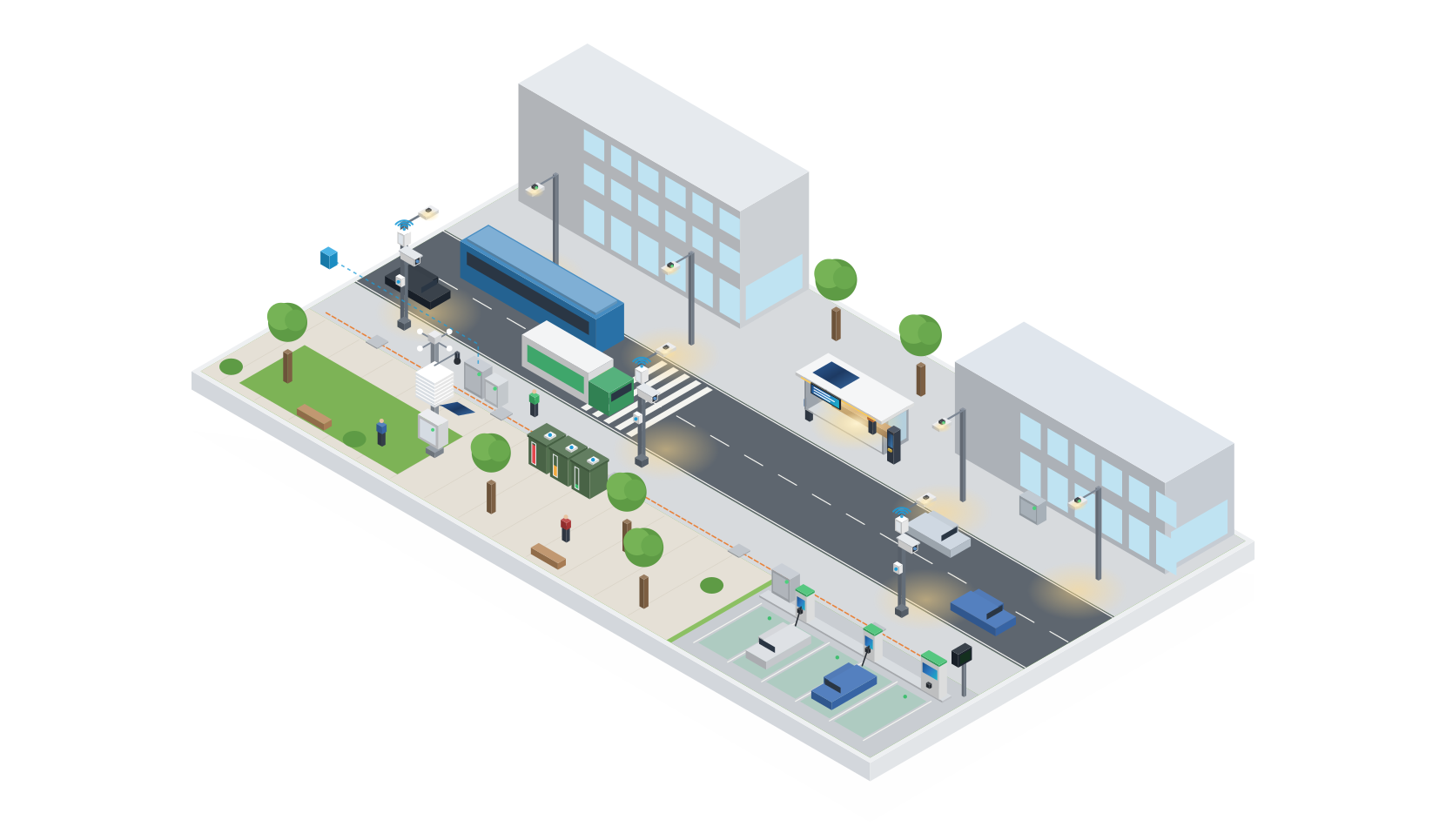
Every part of the system, in one picture.
Select a label to see what each device does. The 3D model below follows the system step by step.
Select a label
Smart Bus Stops & Passenger Information
Every labelled part of the drawing is a device the system connects. Select one to see what it does.
Its position feeds the arrival predictions.
Powers low-energy displays at stops without a mains supply.
Shows routes, destinations and the time to the next arrival.
Lights the shelter after dark and is checked from the centre.
A second display for service messages and timetables.
Reads the arrival times aloud for passengers who need it.
Manages every stop, message and fault from one place.
Illustration. Generic equipment, not a specific home, site or product.
How it works
Follow the system, step by step.
Select a numbered point or a step. Drag the model to look around.
Drag to rotate · pinch or use + and − to zoom
Illustrative model. Generic equipment, not a specific site.
Challenges
What typically goes wrong.
Uncertain waiting
Passengers do not know whether the bus is near or has already gone.
Disruptions not announced
Diversions and delays reach passengers late, if at all.
Heat and glare
Ordinary screens are hard to read in sunlight and suffer in high temperatures.
Stops without power
Many stops have no mains supply or data cable.
What we offer
What the scope can include.
Each project is scoped to its site. These are the parts we design, supply, integrate and maintain.
- Stop survey and classification
- Real-time arrival displays for outdoor use
- Audio announcements and push-button text-to-speech
- Solar or mains power with battery backup
- Shelter lighting, help point and optional video cameras
- Central content and device management platform
- Interface to vehicle location and timetable data
- Service messages and public information content
Technology categoriesVMS / DMS / LCSCommunication & networkingSoftware & platforms
Benefits
What changes for the people who run the site.
Informed passengers
People see live arrival times and service changes.
Accessible information
Audio and clear text serve passengers with different needs.
Central control
Messages and faults are handled from one place.
Options for any stop
Low-power displays suit stops without mains supply.
Related solutions
Solutions that share sectors, settings or functions with this one.
 Urban mobility
Urban Traffic Management
Coordinated junctions and corridors, supervised from one operating picture.
Explore solution Urban mobility
Smart Parking & Access
Drivers find a space sooner. Operators see demand as it happens.
Explore solution Operations & intelligence
Control Centres & Integration
One operating picture for the people who run the network.
Explore solutionAlso listed underTraffic & TransportationSmart CitiesBus Stops & DepotsDigital Signage
Questions
Common questions.
Where do the arrival times come from?
From the bus operator’s vehicle location and timetable system. The displays are only as accurate as that data, so the interface and data quality are checked early in the project.
Which make of equipment do you use?
Equipment is selected against the project specification and confirmed at design stage.
Discuss smart bus stops and passenger information for your network.
The request opens with this solution already selected.